Context
MI Rooms in unit-level Armed Forces medical settings often need to deliver routine outpatient care while also maintaining registers, follow-up notes, prescription formats, medicine stock records, and monthly administrative reports. The original PDF describes a Microsoft Access-based EMR platform designed for this setting: a practical local system, not a cloud product, and one intended for operators who may not be technical specialists.
The strongest design choice was to treat the MI Room as both a clinical and operational workflow. A visit does not end at entering a diagnosis. It can affect prescription readability, repeat follow-up continuity, drug issue records, expiry checks, monthly indents, and future retrieval of patient history.
Problem
The source material identifies a familiar workflow bottleneck: paper registers and manual stock records were slow to search, easy to duplicate, and dependent on individual memory. Repeat visits created unnecessary repeated entry. Handwritten prescriptions could be difficult to standardize. Medicine stock checks and monthly indents required manual calculations, making expiry and replenishment planning harder than it needed to be.
The goal was not to introduce technology for its own sake. The goal was to modernize a constrained unit-level setting with a tool that stayed close to the existing paper workflow while reducing avoidable friction.
Solution
The application used Microsoft Access and VBA to create a local-first outpatient management system with forms, reports, validation logic, and printed outputs. Access provided a practical database-backed interface for the environment; VBA automated repeated actions such as prescription/report generation and data validation.
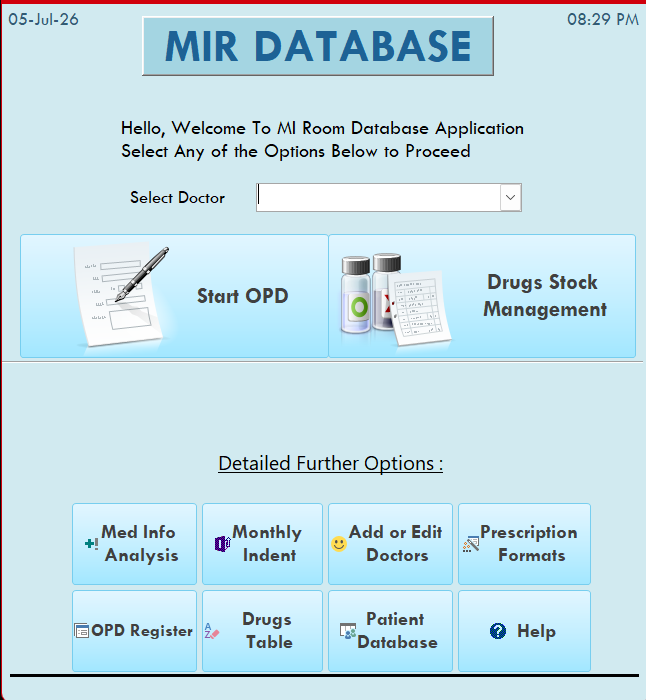
The application brought together patient registration, OPD visit details, vitals, investigations, prescription generation, medicine stock records, expiry checks, and drug indent preparation. Instead of keeping these as separate manual registers, the system made them part of one controlled local workflow.
Key modules
Patient registration and visit history
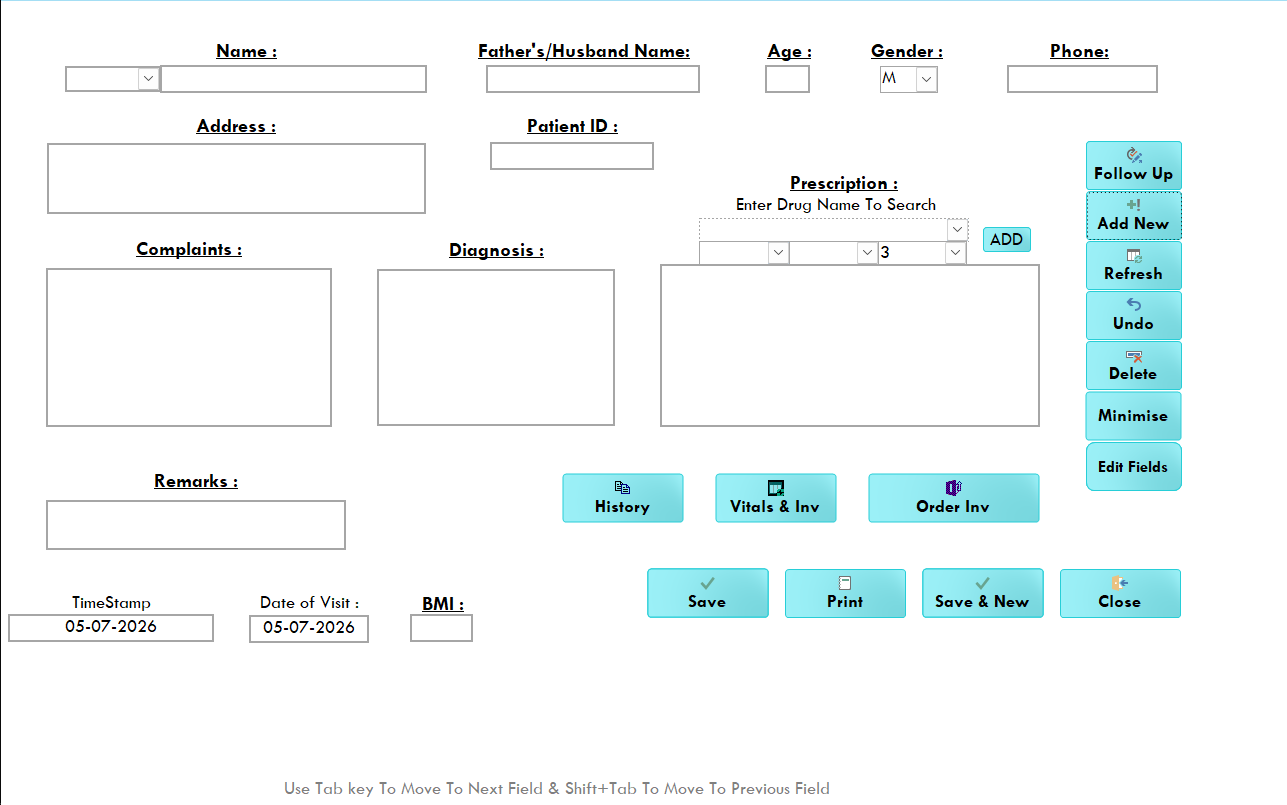
The system supported a one-time registration model and searchable patient records. That made repeat visits easier to retrieve and reduced the risk of duplicate entries. For chronic or follow-up visits, operators could replicate prior prescriptions and update them for the current encounter rather than starting from a blank page each time.
Vitals, investigations, and prescriptions
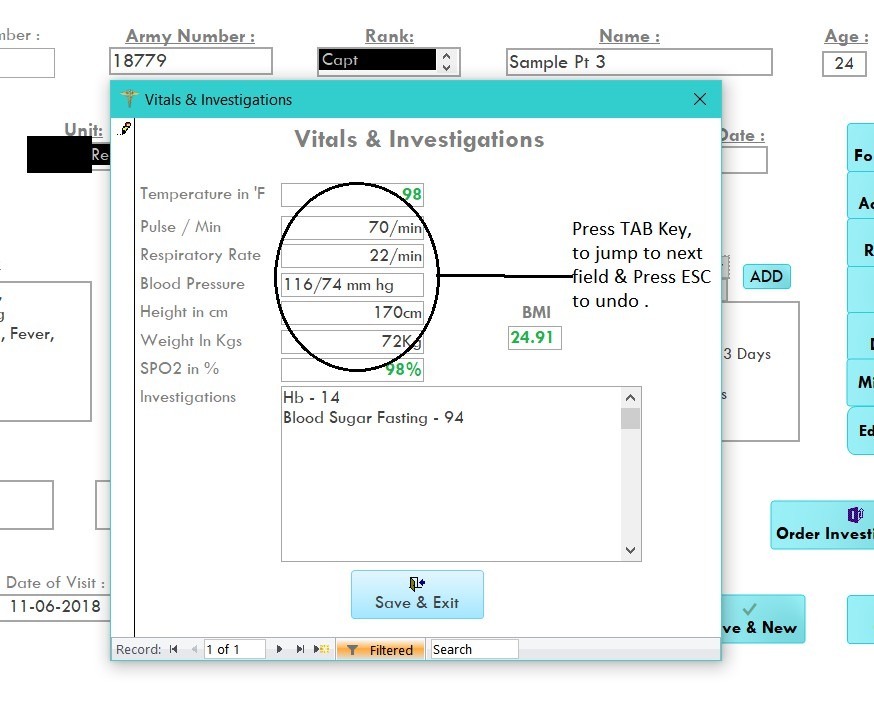
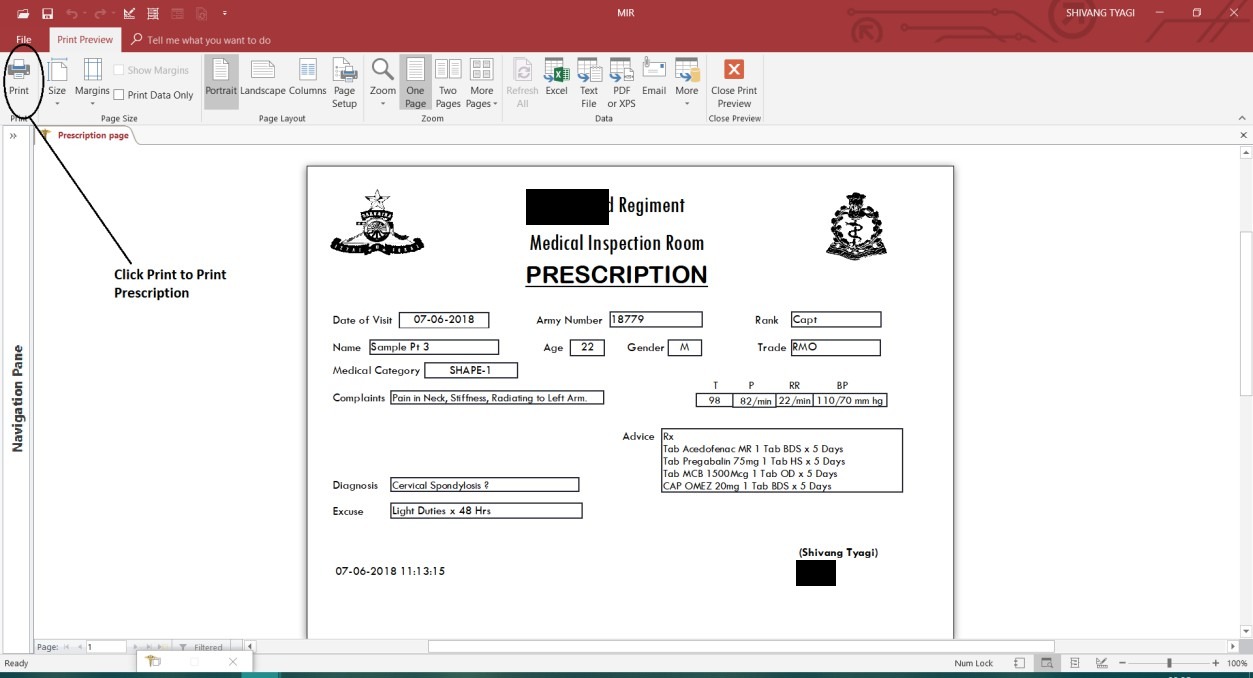
The OPD workflow included structured fields for observations such as temperature, blood pressure, oxygen saturation, and investigations. Printed prescriptions were standardized for routine paper use, including unit and doctor details where configured. This kept the output compatible with established MI Room paperwork while improving consistency and readability.
Pharmacy inventory and expiry controls
The drug stock workflow tracked medicine names, stock limits, current stock, demand, issue, and expiry context. The case-study PDF specifically notes automated checks to prevent prescribing expired drugs and auto-generation of monthly indents based on inventory data. This connected the clinical prescription flow to the pharmacy administration flow.
Backup, access, and configuration
The source material notes password-protected login, doctor profile customization, manual export/import, backup routines, and a help file for non-technical staff. These are important because the target environment needed controlled access and recoverability without heavy infrastructure.
Constraints and tradeoffs
A local Microsoft Access/VBA system is not positioned here as a modern cloud architecture. It was a pragmatic choice for an offline or locally controlled setting where usability, familiarity, quick deployment, printable reports, and low operational overhead mattered more than distributed scale.
That tradeoff shaped the public case study: the value is not the specific database product, but the clinical workflow understanding and system design judgment behind it. The application mapped outpatient care, repeat prescribing, stock control, expiry awareness, monthly indents, and backup routines into one coherent operating model.
Privacy, security, and sensitivity
This page uses only already-public portfolio PDF material and existing site screenshots. It avoids patient-specific claims and does not expose operational details beyond the approved project framing. References to Armed Forces settings are kept generic and focused on workflow constraints rather than sensitive unit information.
The source PDF mentions password-protected login and local backups. Those are presented as controlled-access and recoverability considerations, not as broad security claims.
Outcome
The resulting system replaced slow paper-dependent steps with searchable records, repeat-visit continuity, standardized printed prescriptions, structured clinical observations, pharmacy stock visibility, expiry checks, and monthly indent support. The outcome is best understood as operational reliability: fewer scattered registers, less repeated manual work, and a more consistent way to manage outpatient and pharmacy administration in a constrained local environment.
What this demonstrates
This project brought together clinical workflow understanding, database design, local-first deployment judgment, and practical automation for healthcare operations. It demonstrates how firsthand medical context can be translated into a usable system suited to its environment, without adding unnecessary technical complexity.
Visual evidence